Using Jasper Reports Part 4 (Using sub reports and passing parameters in jasper sub reports )
Posted By : Nagesh Chauhaan | 30-Oct-2012
Welcome to the Part 4 of Using Jasper Reports Series. In previous article we went through Datasets and Table component in JasperReports. In this article, let us know How to Create a sub report and pass parameters to it.
While working with iReports sometimes we come across the situation , when we can’t handle the overall design with a single report , in that case we need to break our report in saveral Sub-Reports . In other words we can say that Subreport is nothing but a simple Report that is included inside another report. This allows the creation of very complex layouts with different portions of a single document filled using different data sources and reports.
To understand the functioning and design of Sub-Reports we have to follow these steps
(A) Creating the Main Report and its custom datasource.
(B) Creating the Sub-Report layout and adding it to the main report.
(C) Passing Parameters from Main-Report to Sub-Report
Creating the Main Report and its custom datasource.
First of all , we need a main report to add a sub-report to it , we have already a Main-Report here :
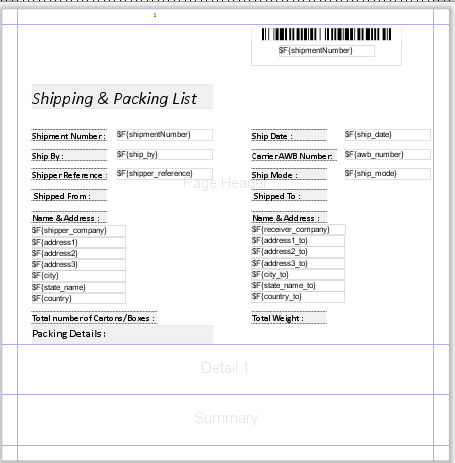
Main-Report is nothing but a simple report as we have created before .If you don’t know how to create a simple report , please go through the Previous Articles .
Creating the Sub-Report layout and adding it to the main report.
Now let’s create an another simple report to use as a sub-report . Here we have already an another report to use as sub-report :
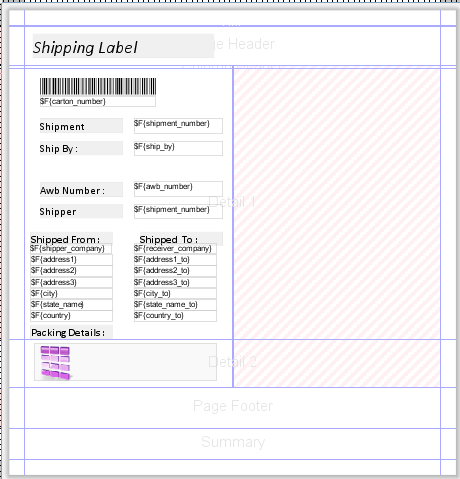
And we have a Sub-Report and a Main-Report , to add a sub-report open main report in designer and just go to the Pallette Section of the Designer and choose Subreport component as shown in figure :
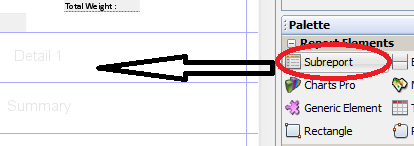
Lets add this sub-report component to Summary band of Main-Report for now, Now an window w’ll open like this :
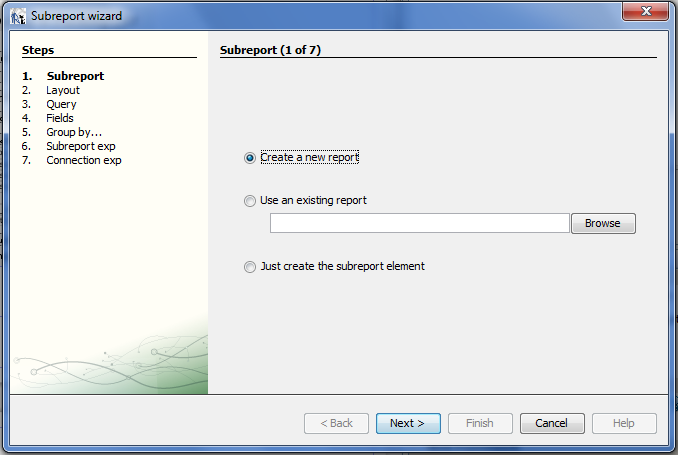
We have three options to set the type of sub-report we are creating , lets select second option i.e. Use an existing report for now :
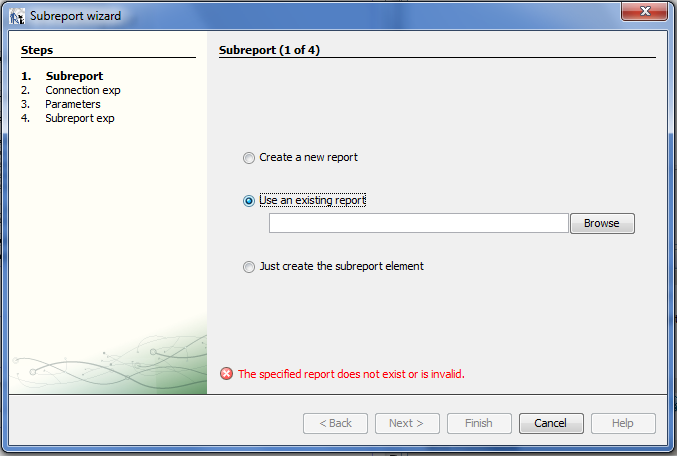
Now browse for sub-report file that we have already created :
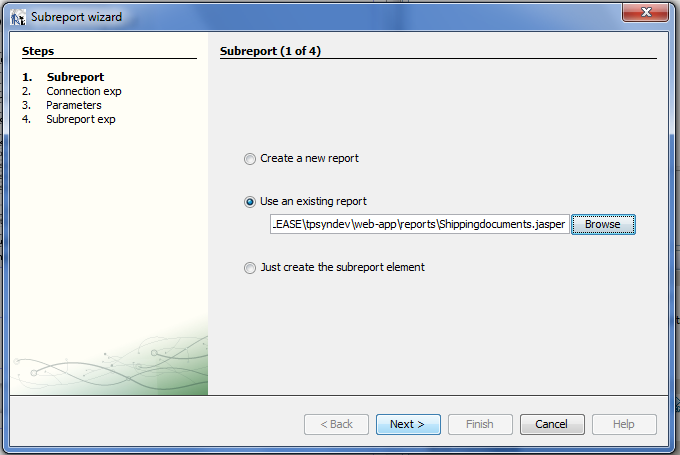
Now click next :
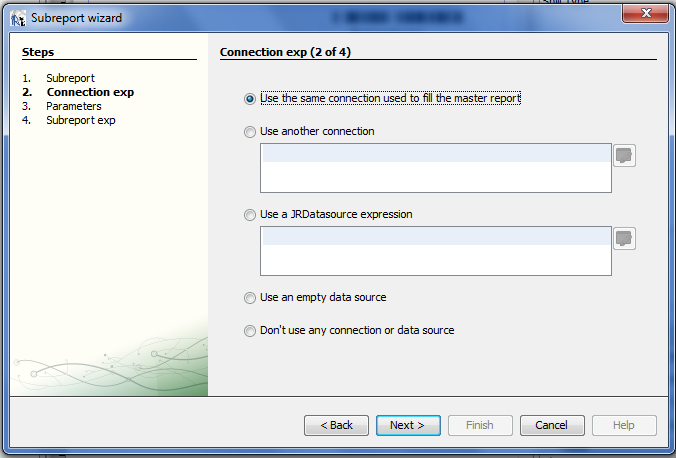
Let the default option be selected for now , click next :
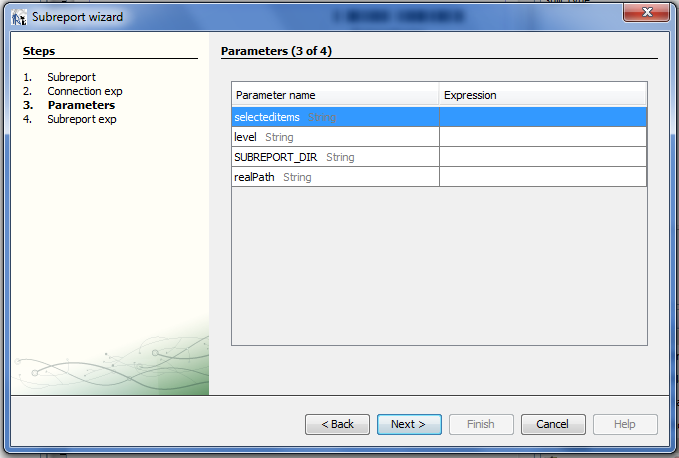
Choose parameters name here let the Expression part empty for now , we w’ll cover it later , click next :
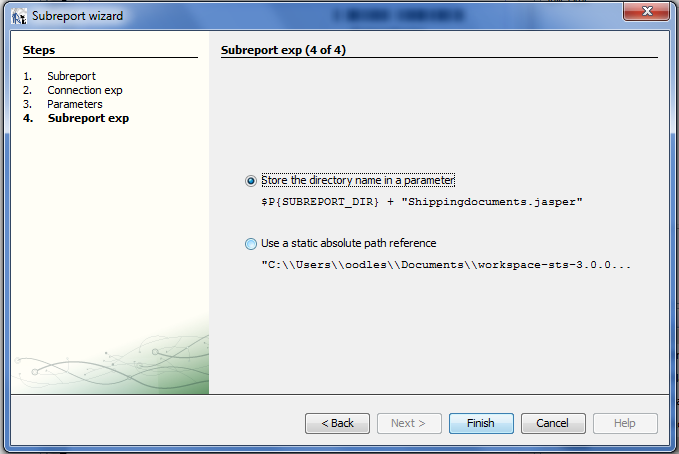
Here we are asked to specify the Sub-Report location , its better to choose the upper one , because it contains an dynamic value for report path and we can set the path variables dynamically , click Finish :
Now you w’ll get an icon on Main Report for the component , as shown in figure :
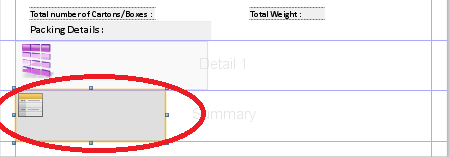
Passing Parameters from Main-Report to Sub-Report.
When viewing a report within iReport Designer we can select the properties of the subreport within the main report. Like this :
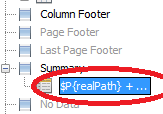
In this there is an option in Subreport Properties called Parameters. Using this we can pass parameters to your subreport.
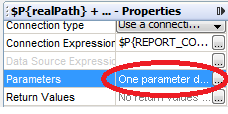
Select this and click the Add button from the window , as shown in figure :
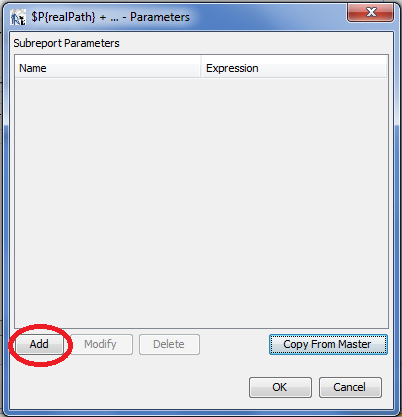
Now give a name to parameter and click the button right of the Value Expression Box as shown in figure :
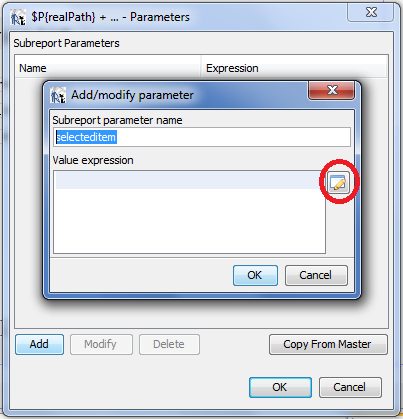
Next an option screen will pop up where you can select the parameter from the master report you want to pass like this :
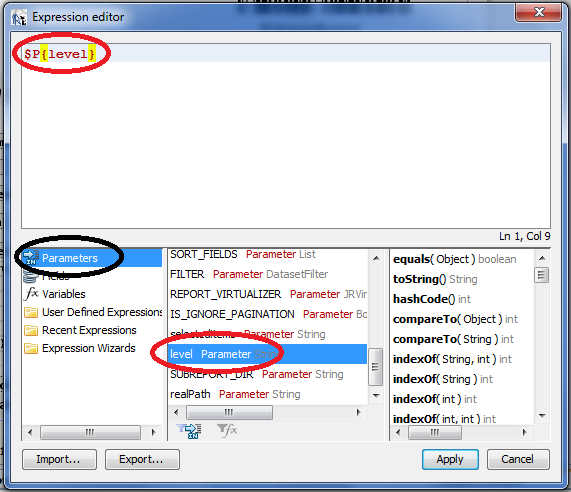
In Expression Editor , select Parameters from bottom-left portion as shown by Black Circle , now you will get all the available parameters , in middle-bottom box , select the parameter that you want to pass to your sub-report and click Apply.
Here we are done with passing a Parameter from Main Report to Sub Report . In next part we w'll cover How to Insert Images into Jasper Reports.
Hope it helps !
Nagesh Chauhan


Cookies are important to the proper functioning of a site. To improve your experience, we use cookies to remember log-in details and provide secure log-in, collect statistics to optimize site functionality, and deliver content tailored to your interests. Click Agree and Proceed to accept cookies and go directly to the site or click on View Cookie Settings to see detailed descriptions of the types of cookies and choose whether to accept certain cookies while on the site.















About Author
Nagesh Chauhaan