Types of Xpath Locators in Selenium
Posted By : Sonali Gupta | 26-Jun-2017
What is Xpath?
- Xpath is a Locator which is used to locate the Web element present on web page based on XML tags, Attributes and Text.
- The Xpath Locator is mainly used when all other locators are failed to locate the Web element present in web page.
The Xpath is of Two Types:-
- Absolute Xpath- The path which locate the Web element from Root node to the require Child node, Firepath by default generate absolute xpath
--> Absolute xpath uses index for multiple nodes
--> Absolute xpath is not Dynamic
--> Most of the time Absolute xpath will be Lendthy
Syntax:- html/body/div[2]/input[2]
2. Relative Xpath:- It is the Customize xpath which is used tp Directoryy locate the Web element from the html Document
//htmltag[contains(@attribute id,'attritube value')]
Different Types of Xpath Functions are:-
- Text() Functions:- In this expression, with text function, we find the element with exact text match as shown below. In our case, we find the element with text "UserID"
Syntax:- //htmltag[text()='text value']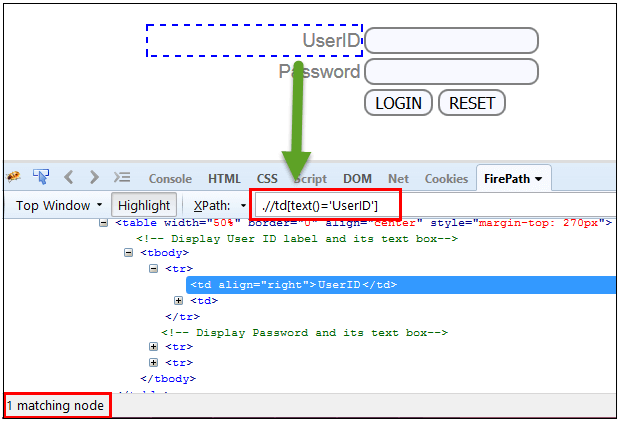
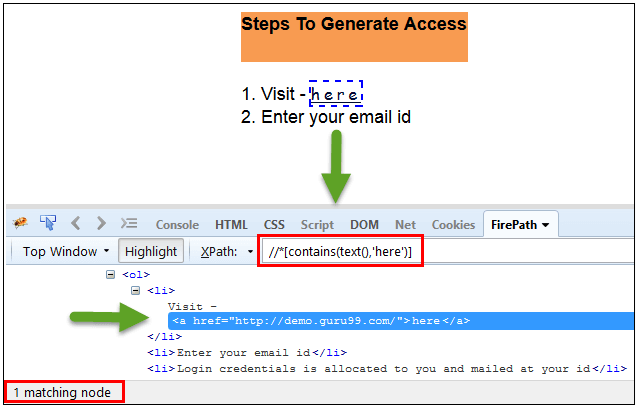
- Contains() Function:- It is used when the value of any attribute changes dynamically, Example is shown below
Syntax:-
//htmltag[contains(text(),'text value')]  (Text Value)
//htmltag[contains(@attribute id,'attritube value')]   (Attribute Value)
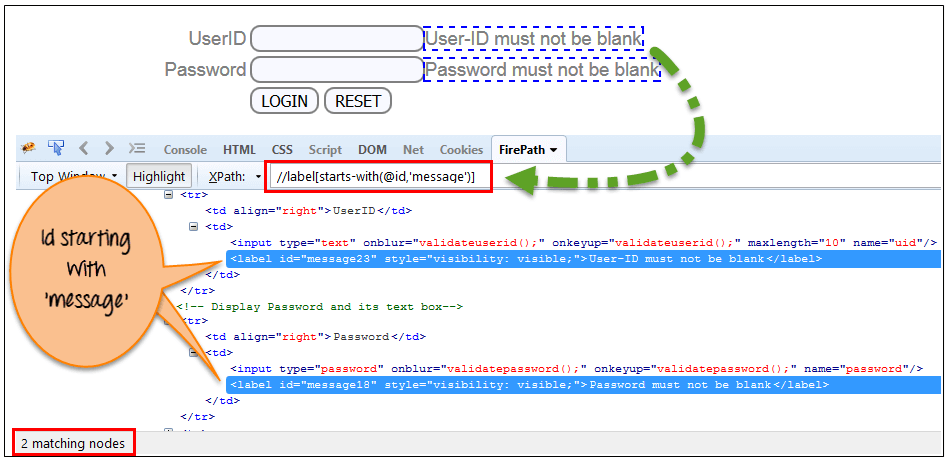
3. Starts-with() Function:- In this expression, match the starting text of the attribute is used to find the element whose attribute changes dynamically, also find the element whose attribute value is static (not changes) .
Syntax:- //htmltag[starts-with(@attribute id,'start with first letter text')]
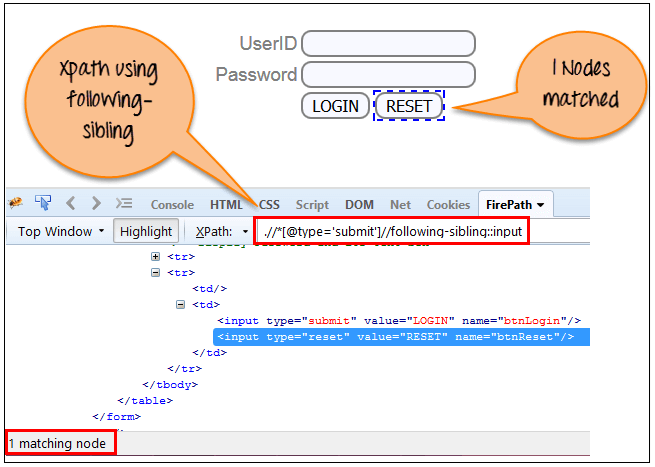
4. Following- Sibling:- Select the following siblings of the context node. Siblings are at the same level of the current node as shown in the below screen. It will find the element after the current node .
Syntax:- //htmltag[@type='attribute value']//following-sibling::input


Cookies are important to the proper functioning of a site. To improve your experience, we use cookies to remember log-in details and provide secure log-in, collect statistics to optimize site functionality, and deliver content tailored to your interests. Click Agree and Proceed to accept cookies and go directly to the site or click on View Cookie Settings to see detailed descriptions of the types of cookies and choose whether to accept certain cookies while on the site.















About Author
Sonali Gupta
Sonali is certified in manual testing and selenium web driver. She is a B.Tech through Electronics and Communication.