Kaltura WordPress Video Plugin
Posted By : Oodles Admin | 23-Mar-2016
WordPress is known for speeding up website development. And the plugins not only help in easy third party integrations but are also robust and reliable. They integrate with website core functionality seamlessly without much worry about bugs.
Kaltura’s WordPress Video Plugin
With the help of WordPress Video Plugin standard, it is possible to integrate the Kaltura’s online video content features into WordPress.
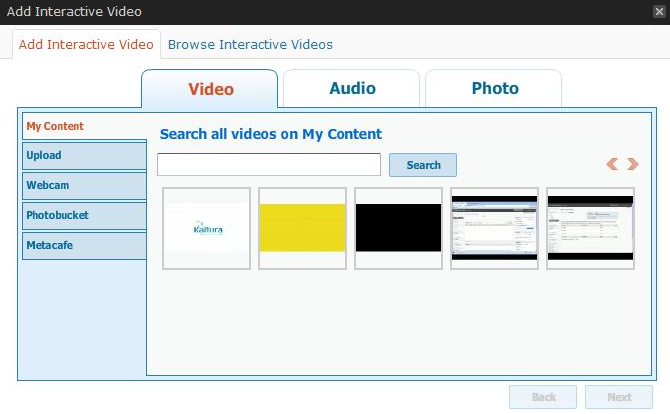
By doing so, it gives us access of creating video blogs, adding a video gallery to the blog and also this allows viewers to add video comments to the video content. Thereby enhancing user engagement on your website. Kaltura is behind your website to support heavy lifts functionality like transcoding, storing and streaming of your media content. Hence include upload/ record/import videos and publish them directly to your post, enable video comments, centrally manage and track your video content.
Importance of Wordpress Video Plugin
-
Comfortable set-up and quick installation - It needs only 4 steps to set-up WordPress video plugin and few minutes to get it installed
-
WordPress video plugin offers seamless integration with the WordPress platform
-
WordPress video plugin is almost free to start with - With a trial account, you can get 10GB of free hosting and streaming. Once you have explored and migrated to affordable WordPress pack, you become eligible to manage completely for free
-
WordPress video plugin lets you leverage the full power of Kaltura’s Online Video Platform with excellent playback, maximum viewers engagement, management of video, video monetization, social sharing and even much more.
Benefits and Features of WordPress Video Plugin
-
It enables to import rich media content directly to the blog or record media content from webcam with easy and quick video upload
-
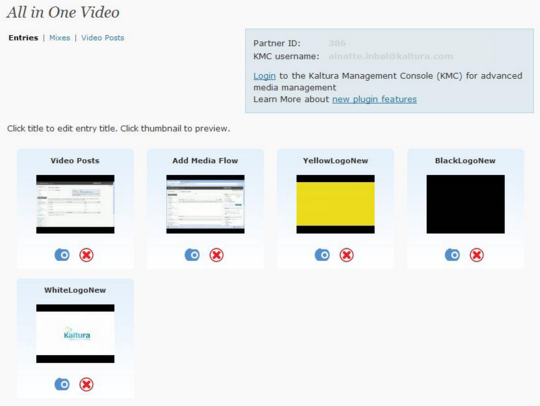
With the help of Kaltura Management Console (KMC), WordPress Video Plugin provides Central Media Management. This feature also includes latest video reports and statistics .
-
You are authorized to decide on who can edit and add each video that means WordPress Video Plugin provides complete administrative capabilities
-
With WordPress Video Plugin, it becomes possible to support multi users
-
Configurable player branding and features
-
It also allow readers and subscribers to add media (video and audio) comments. To have viewers engagement, it allows participation in collaborative videos
-
Support for Advertising & Monetization
-
Easily share across 50+ social networks, blogs, and sites or via HTML embed code. Hence increasing Social Sharing for more popularity.
-
With the usage of adaptive bitrate technology experience Optimal Playback
-
View on any device including mobile, tablets, iPad, iPhone, web and set-top boxes


Cookies are important to the proper functioning of a site. To improve your experience, we use cookies to remember log-in details and provide secure log-in, collect statistics to optimize site functionality, and deliver content tailored to your interests. Click Agree and Proceed to accept cookies and go directly to the site or click on View Cookie Settings to see detailed descriptions of the types of cookies and choose whether to accept certain cookies while on the site.















About Author
Oodles Admin
Divya has more than 6 years of industrial experience in different domains – SAP EP, Search Quality Operations and Content Writing. She loves travelling across the world and also enjoys watching movies.