How to do IP Spoofing with Jmeter
Posted By : Sandeep Rathor | 22-Jun-2017
Today we need to understand what is load testing, why we need this and how to handle and perform real time scenerios. So let's start with Load Testing and why we need this
Suppose you are working on a CRM software where multiple user can login and each user can enter multiple product, so at that time we need to check the behaviour of our application that how well our application can able to perform well under the sustainable load. In Load testing we have to put number of load on our Website so that we know how our application will behave in real time and every virtual user can be created with the help of Jmeter.
With the help of Jmeter we can hit our single API multiple time but with only single IP(On which our Jmeter is located). So it cannot give a real life senerio because if multiple users are going to login in our website so every user have different IP. In this case we need to prefer IP-Spoofing concept where we can create multiple virtual IPs on our local system and hit our API with all these Virtual IPs with in local server only. So here i am going to understand you IP-Spoofing concept and how we can hit our single API with multiple virtual IPs
First we need to create the virtual IP Enter the command in Terminal
1. ifconfig
2. go to root folder by:- sudo su
suppose you want a series of 10.0.0.1~10.0.0.255 then run the blow command :-
3. for each in $(seq 1 254); do ifconfig eth0:$each 10.0.0.$each; done
4. Print your IPs:- for each in $(seq 1 254); do cat 10.0.0.$each > ip.txt; done
5. for each in $(seq 1 254); do echo "10.0.0.$each"; done > ip.txt
6. After generating the reports run this command :- for each in $(seq 1 254); do ifconfig eth0:$each 10.0.0.$each; done
7. do :- ifconfig and check that IPs are assigned to every eth port
Now open your Jmeter create a thread user add CSV Data Set Config, Add HTTP Request Sampler, Add Listner according to you
give the path of saved csv file which is containg your virtual IPs and your Variable name like this in below image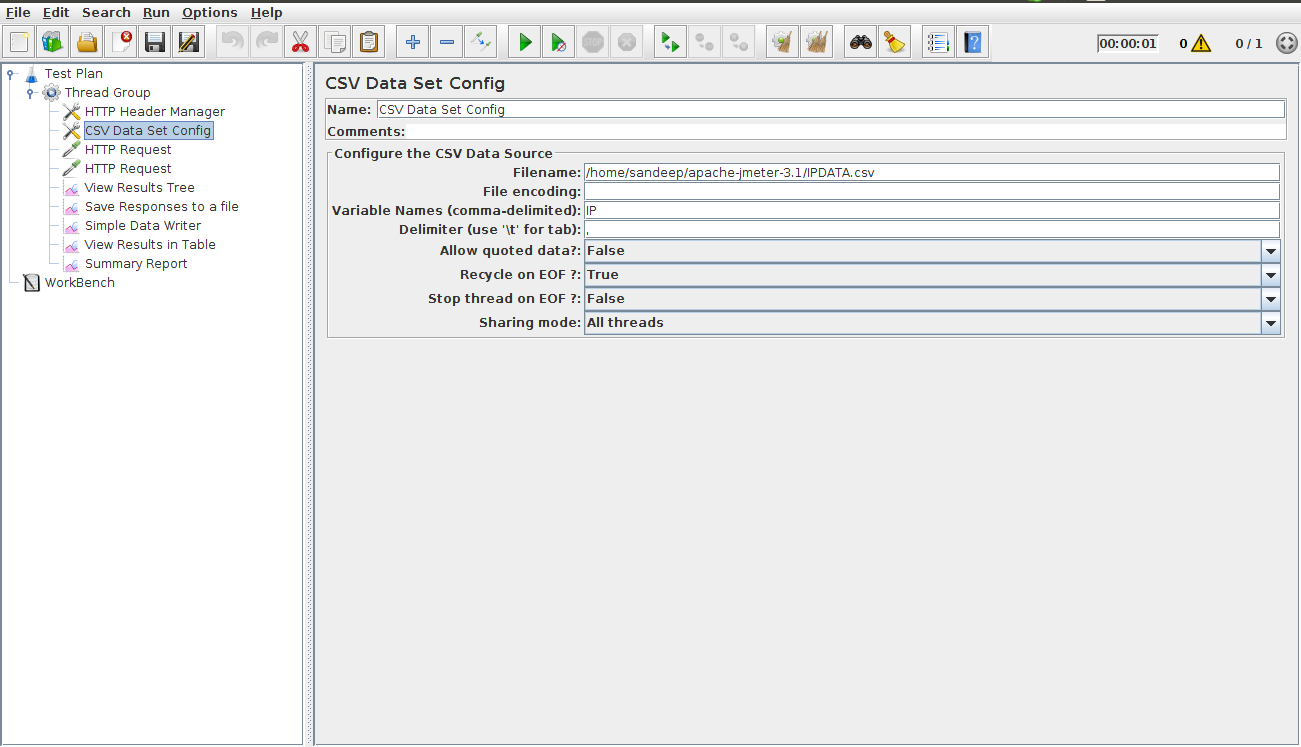
Now give your IP or host address of your software, give the port number, give the API address which you want to test and body of your POST data if any
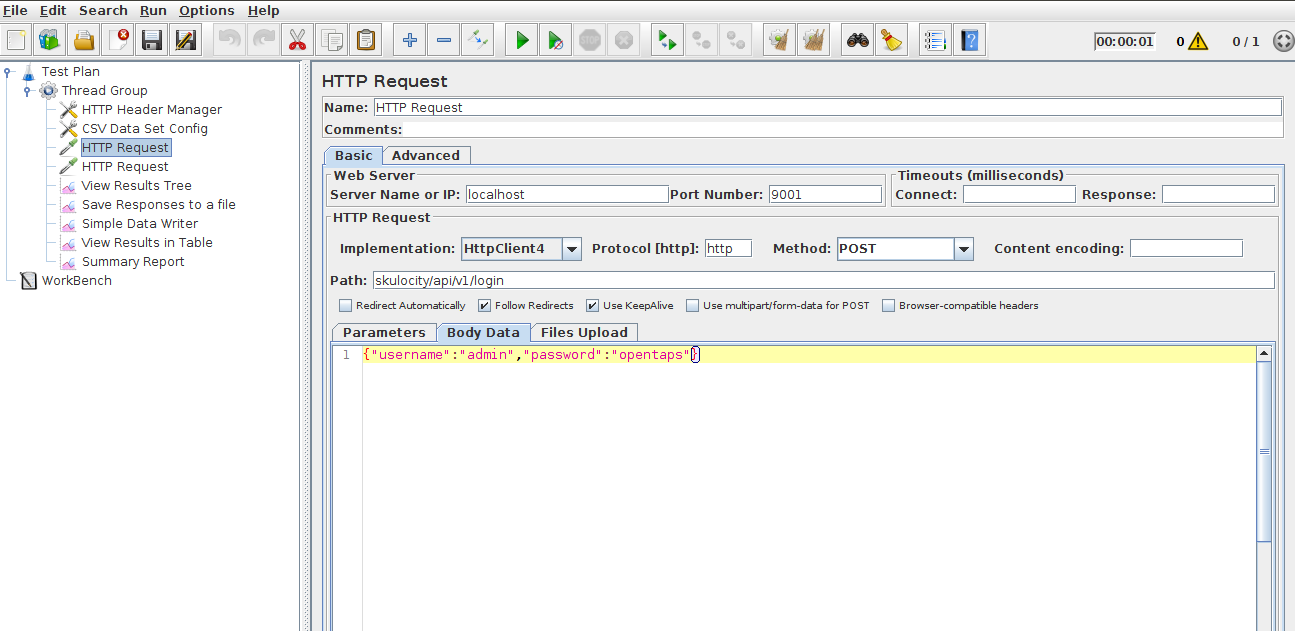
Now give your variable name in advance tab like this ${Variable_name_given_in_CSV Config Element} and Click on Run button it will hit you API with multiple virtual IPs 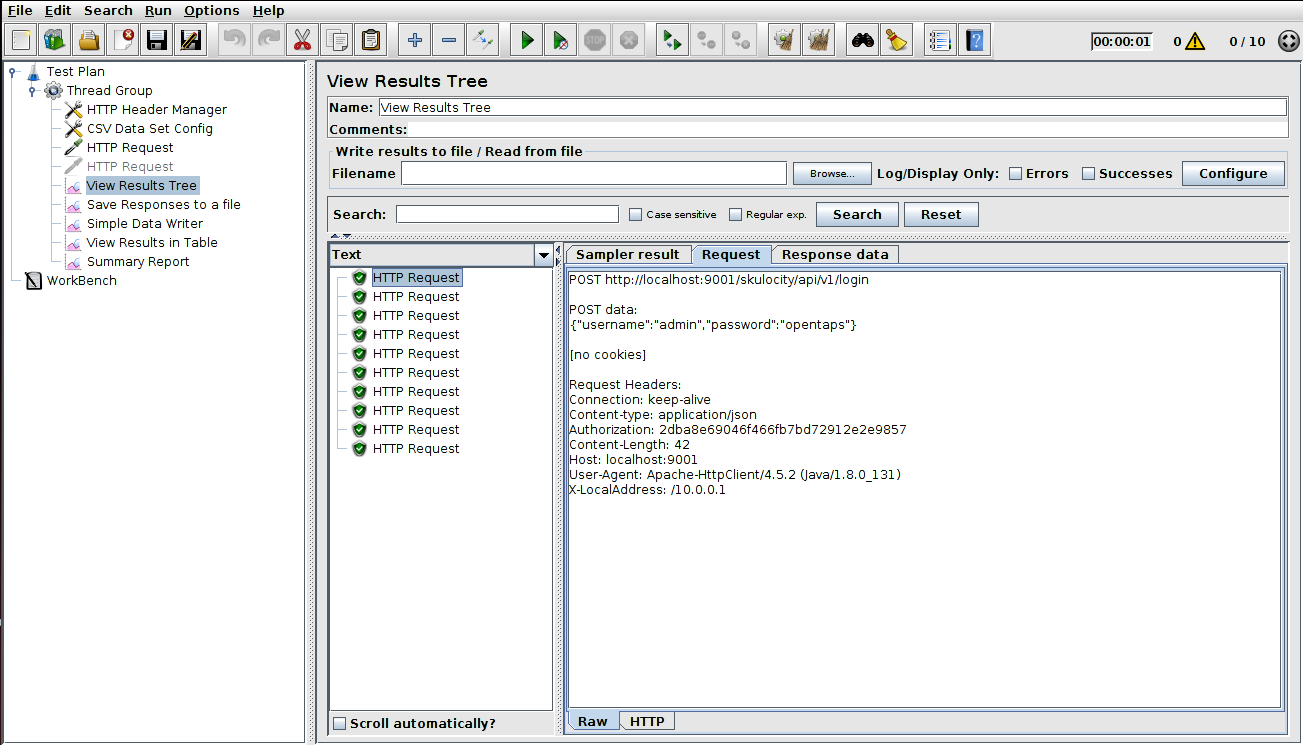
Now can See in Request column your X-Local Address:-10.0.0.1 something like this
THANKS


Cookies are important to the proper functioning of a site. To improve your experience, we use cookies to remember log-in details and provide secure log-in, collect statistics to optimize site functionality, and deliver content tailored to your interests. Click Agree and Proceed to accept cookies and go directly to the site or click on View Cookie Settings to see detailed descriptions of the types of cookies and choose whether to accept certain cookies while on the site.















About Author
Sandeep Rathor
Sandeep is an experienced QA Engineer with skills in Manual testing, Automation Testing and Performance Testing over both Mobile and Web Application