Generating PDF Report with jasper using collection
Posted By : Ravindra Jha | 27-Nov-2014
This blog will describe you how to generate pdf report using jasper and collection as datasource.I assume you have jasper configured in your application and Ireport tool installed on you computer. We will need a template with .jrxml extension which will be compiled to .jasper file before passing data into it for your pdf report.
Suppose we have a Arraylist of map with all your data like -
[{name:'abc', occupation:'pqr',hobbies:[{hob:'reading'},{hob:'playing'} ]},{name:'xyz',occupation:'pqr',hobbies:[{hob:'jogging'},{hob:'reading'}] }]
Follow the following steps for generating this report :-
- Create a folder in web-app directory with name reports. This is default directory for a grails application configured with jasper plugin else you can also have your own location.
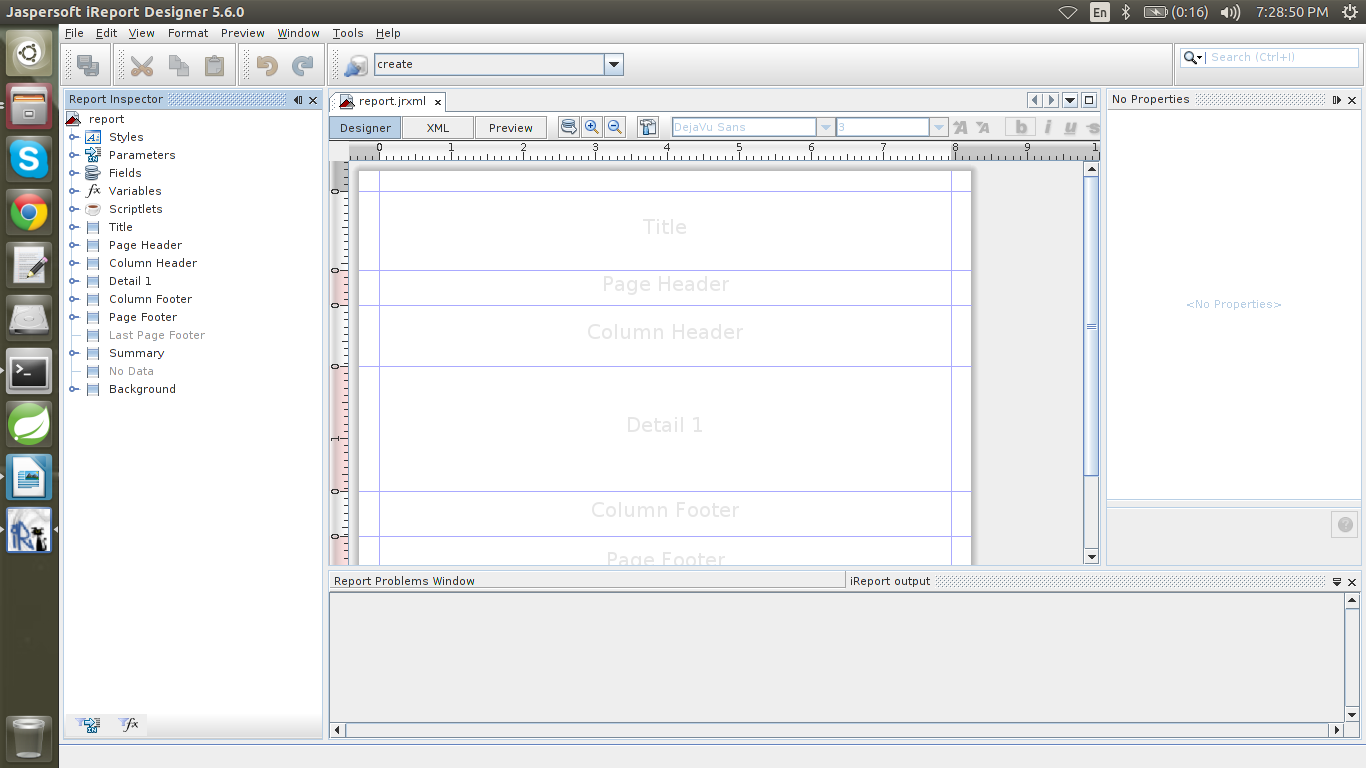
- Open you iReport tool, This is a GUI tool which is used to generate .jrxml file manually and create a new report ,remember this should be save in the reports folder we have just created.This will be somenthing like below.
- Our data source map have three fields i.e name,occupation and a hobbies list,So first create these three fields.
- Right click Fields->Add Field, add three fields similarly and rename it to name(String).Occupation(String) and hobbies(Collection).
- Drag three static text in the column header and two text filed in the detail section this will be like this
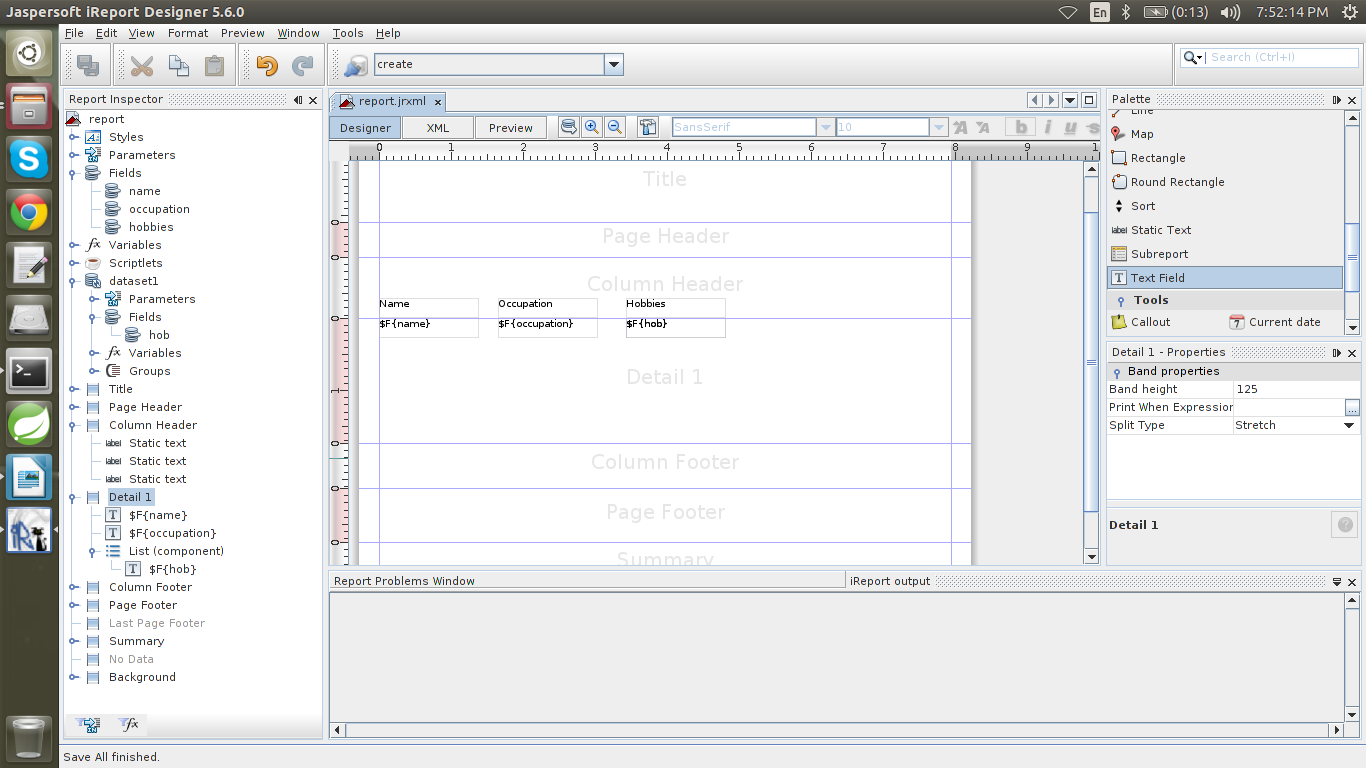
- For hobbies drag a list component in the detail band, this will add a data list.
- Create a field in data list name “hob”(String) and add a text field in the list with same name “hob”
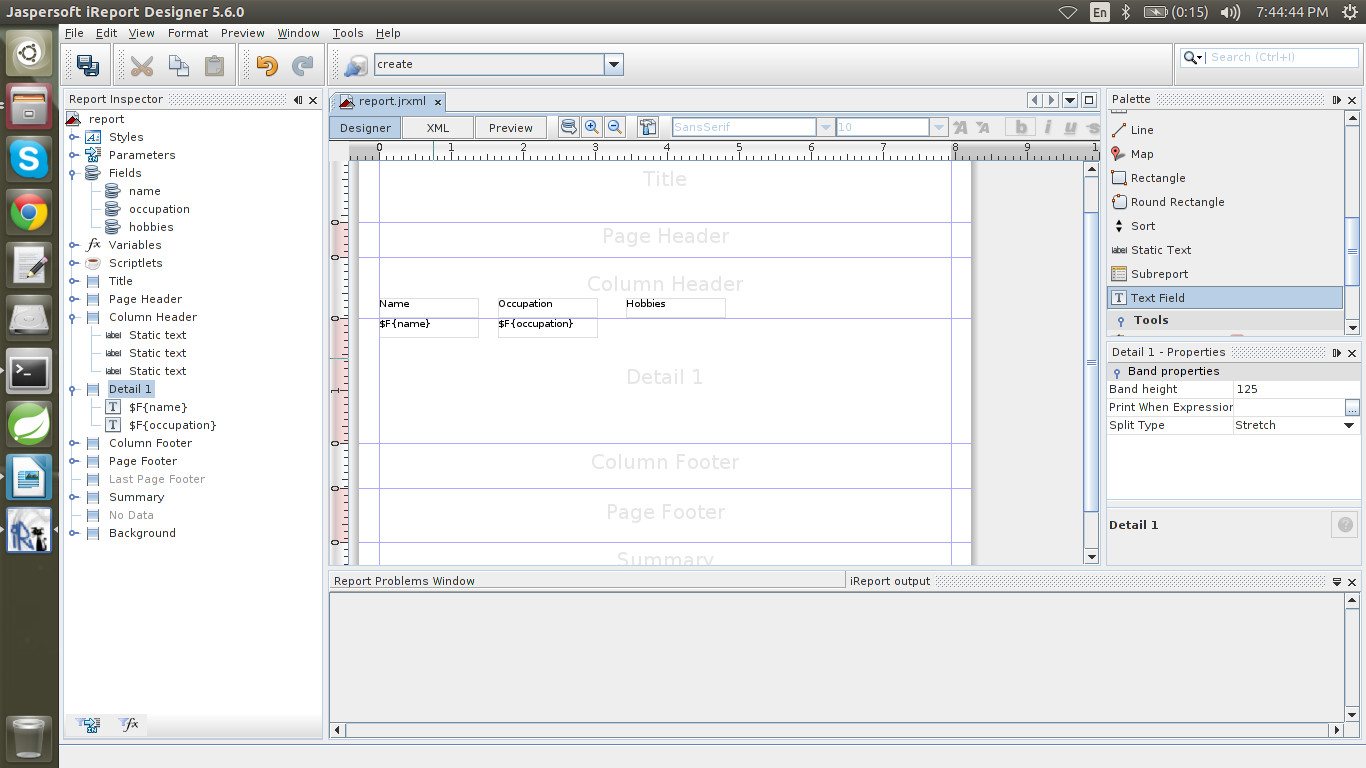
- Save all these changes .
- In you gsp add following-
<jasperReport file=”report”,type=”pdf” action=”report” controller=”MyReport”/> -
Create a action in myReport controller with name report and add following code.
 def report ={
def dataList = [[name:'abc', occupation:'pqr',hobbies:[[hob:'reading'],[hob:'playing'] ]], [name:'xyz',occupation:'pqr',hobbies:[[hob:'jogging'],[hob:'reading']]]
JRMapCollectionDataSource dataSource = new JRMapCollectionDataSource(dataList);
JasperReportDef rep = jasperService.buildReportDefinition(params,request.locale,dataSource)
ByteArrayOutputStream stream = jasperService.generateReport(rep)
response.setHeader("Content-disposition", "attachment; filename=" + 'report' + ".pdf")

response.contentType = "application/pdf"

response.outputStream << stream.toByteArray()

}
Thanks
Ravindra Jha


Cookies are important to the proper functioning of a site. To improve your experience, we use cookies to remember log-in details and provide secure log-in, collect statistics to optimize site functionality, and deliver content tailored to your interests. Click Agree and Proceed to accept cookies and go directly to the site or click on View Cookie Settings to see detailed descriptions of the types of cookies and choose whether to accept certain cookies while on the site.















About Author
Ravindra Jha
Ravindra is a seasoned Java and Grails lead developer with excellent experience in deployment , monitoring , optimisation of web applications for scalability and performance on Amazon EC2 and other Amazon Web Services.