Creating An Image In FOG
Posted By : Shiv Shankar | 10-Sep-2017
The following instructions walk administrators through the process of configuring a computer for image creation in FOG.
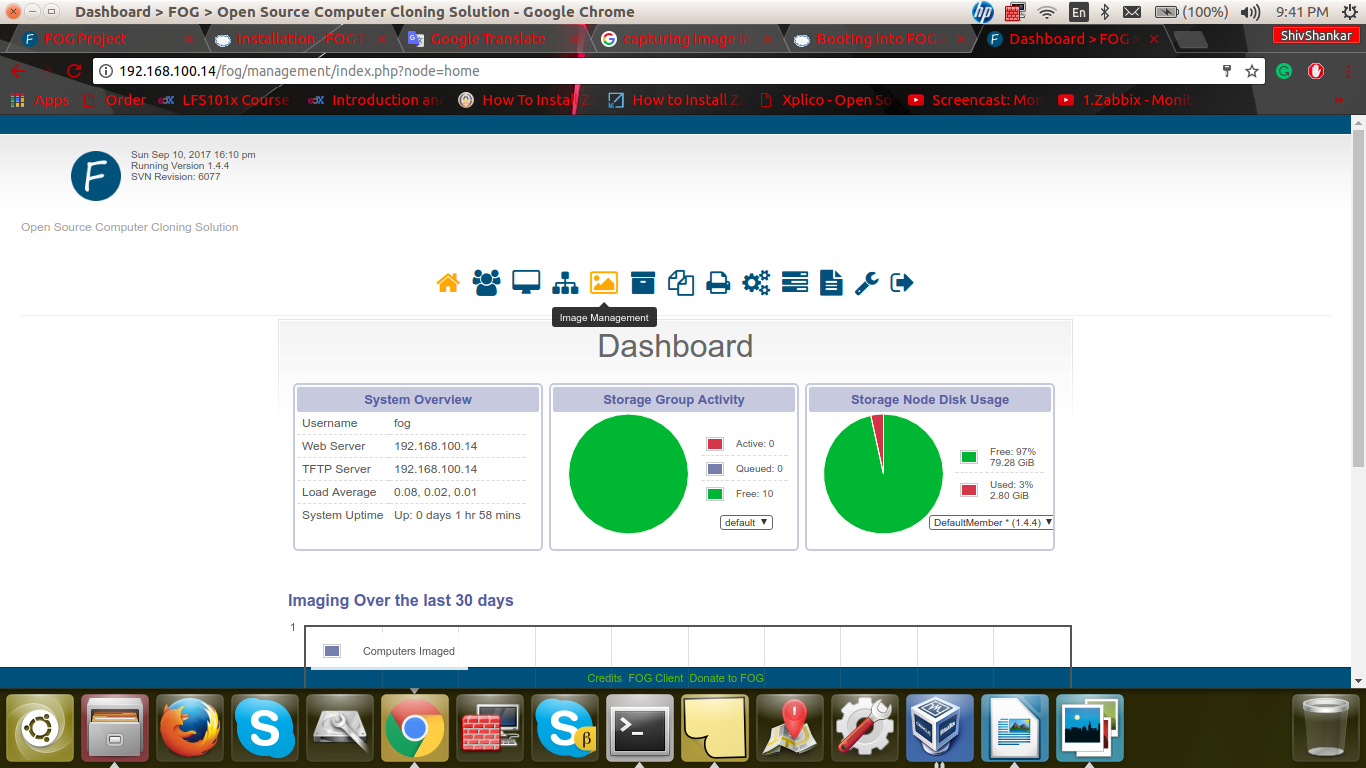
1. Log into the FOG management console
a. FOG management console URL or address is:
http://ip address/fog/management
i.e http://192.168.100.14/fog/management
2. Click the Image Management icon
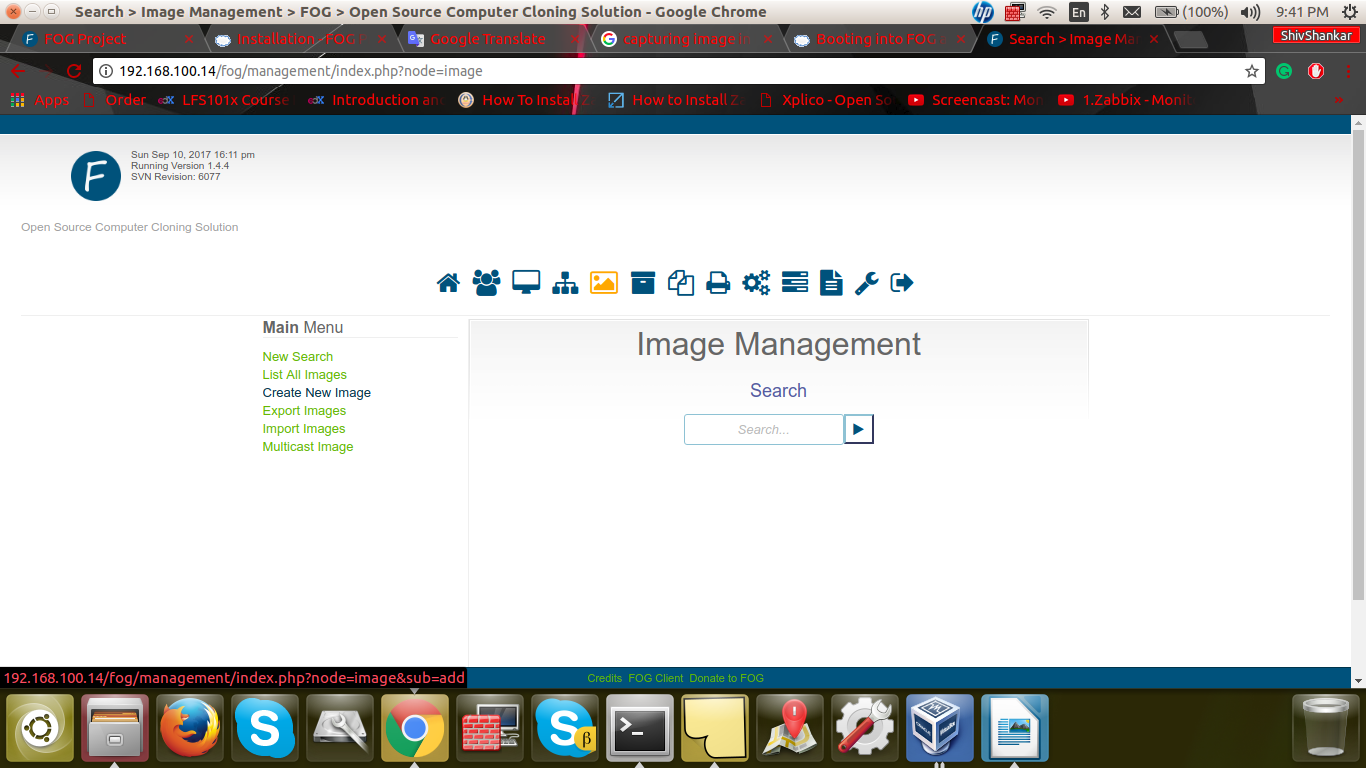
3. Click New Image button in the left section of screen
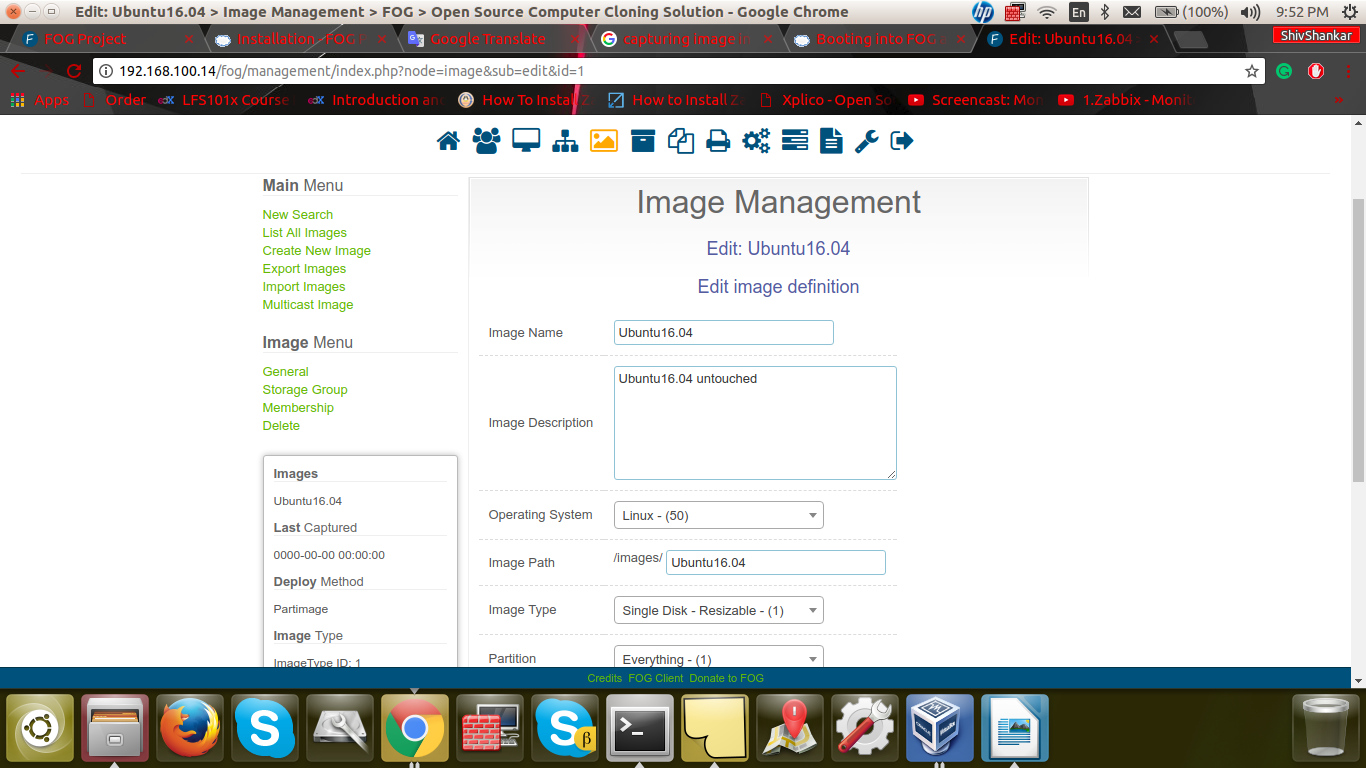
4. Enter the following Information
a. Image Name: Use clear concise name
i. Consider keeping name short and model or OS specific
b. Image Description: Enter clear concise description
c. Storage Group: Default
d. Image File: Will automatically be entered. You may edit if you want
e. Image Type
i. Ubuntu = Single Partition (Resizable)
ii. Windows 7/8.1/10 = Multiple Partition Image – Single Disk (Not Resizable)
iii. Mac = Single Partition (Resizable)
5. Click Add
i.e
Registration of HOST(Ubuntu 16.04) in FOG server
1. Boot into the PXE(LAN BOOT)
2. Registering the HOST(Ubuntu 16.04) in FOG server
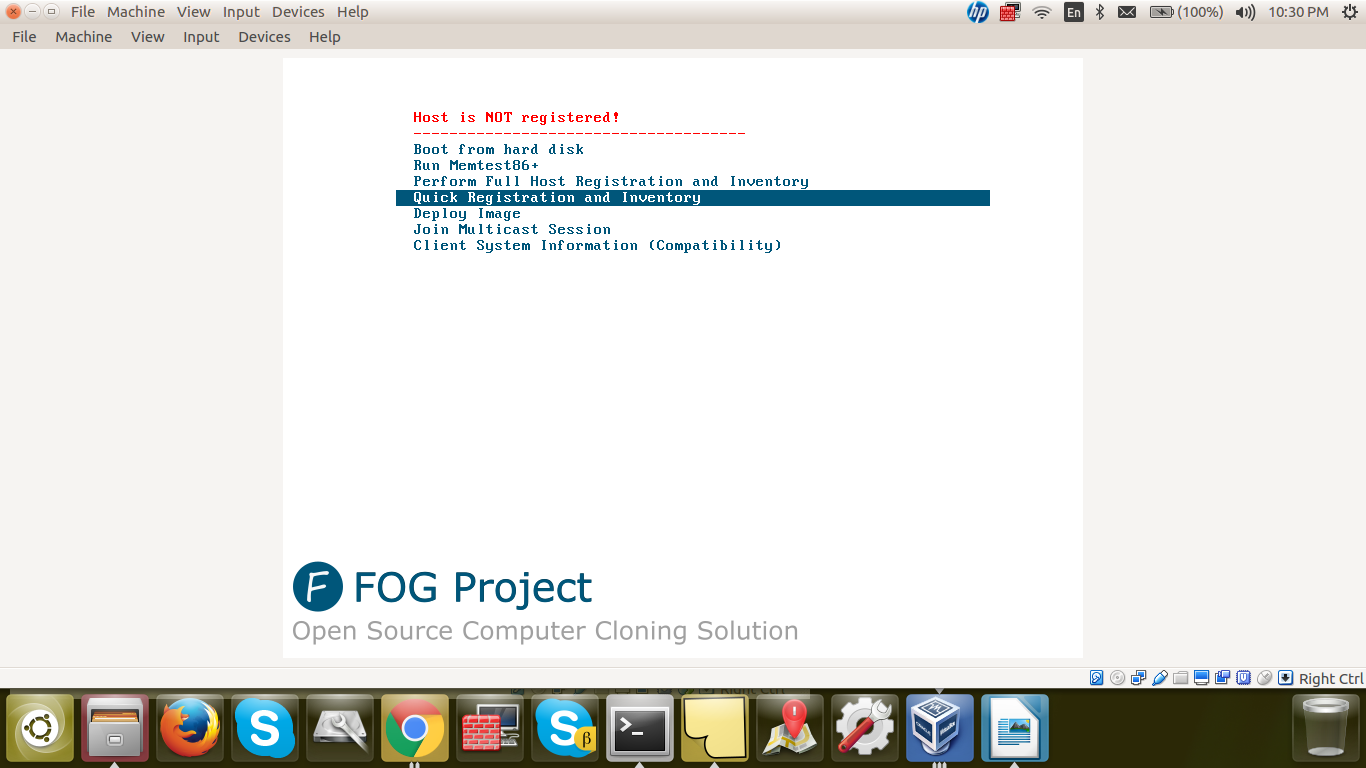
3. Perform a Quick Registration.
4. Go to Host Management -> List All Hosts
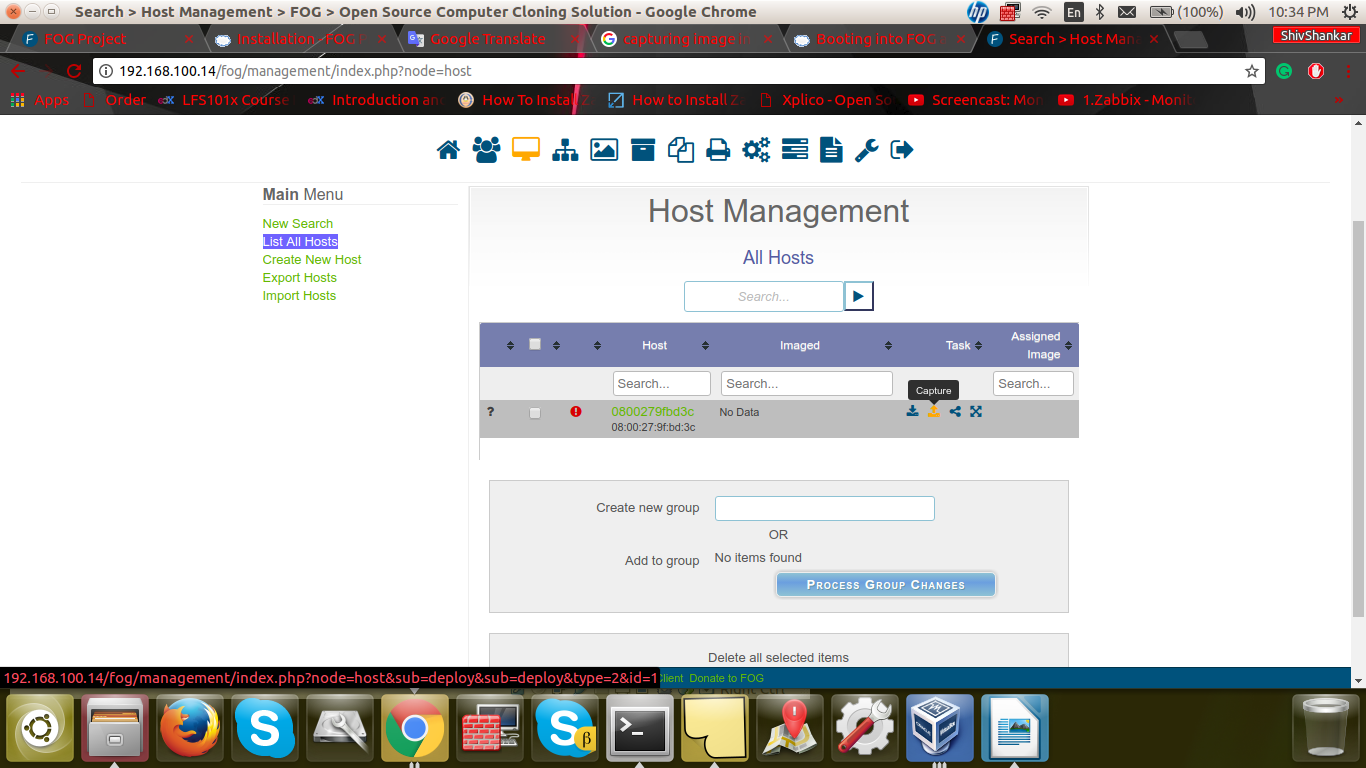
5. Go to capture and select Ubuntu 16.04
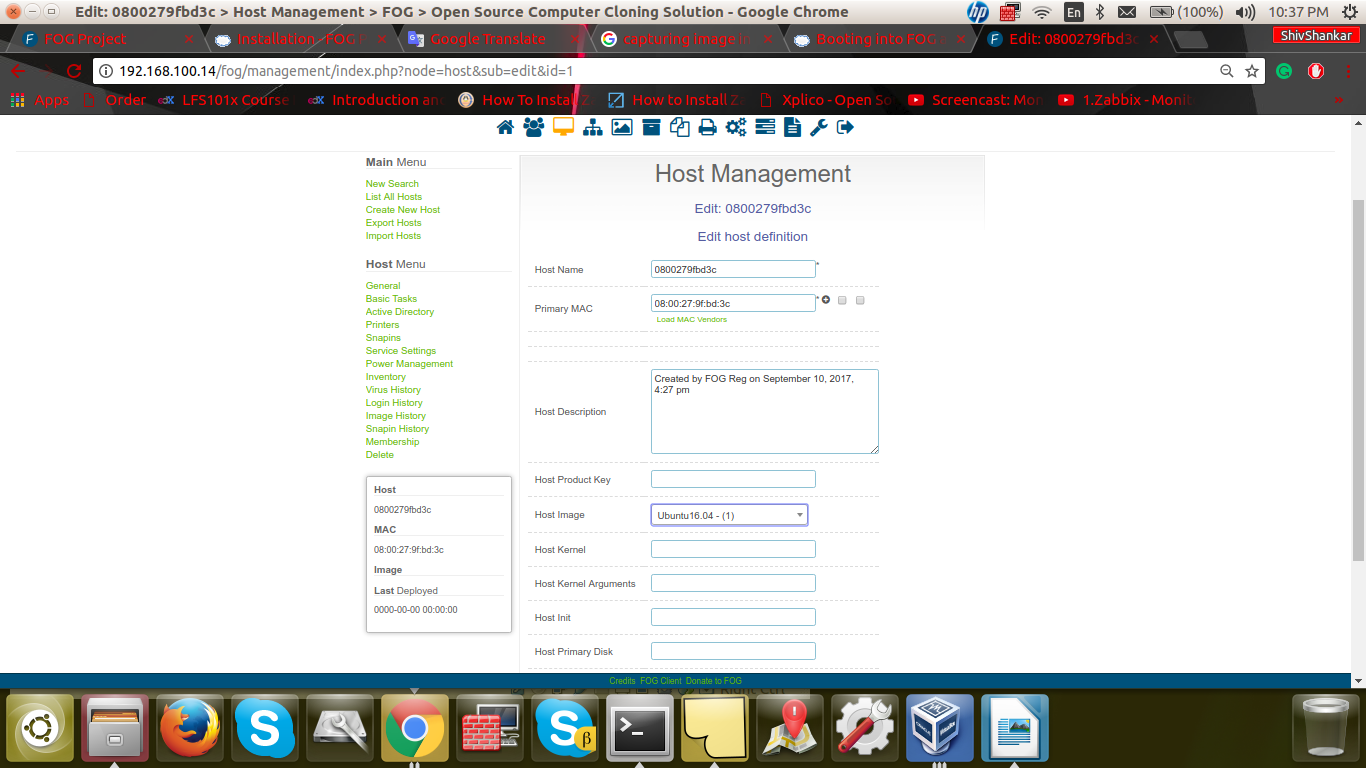
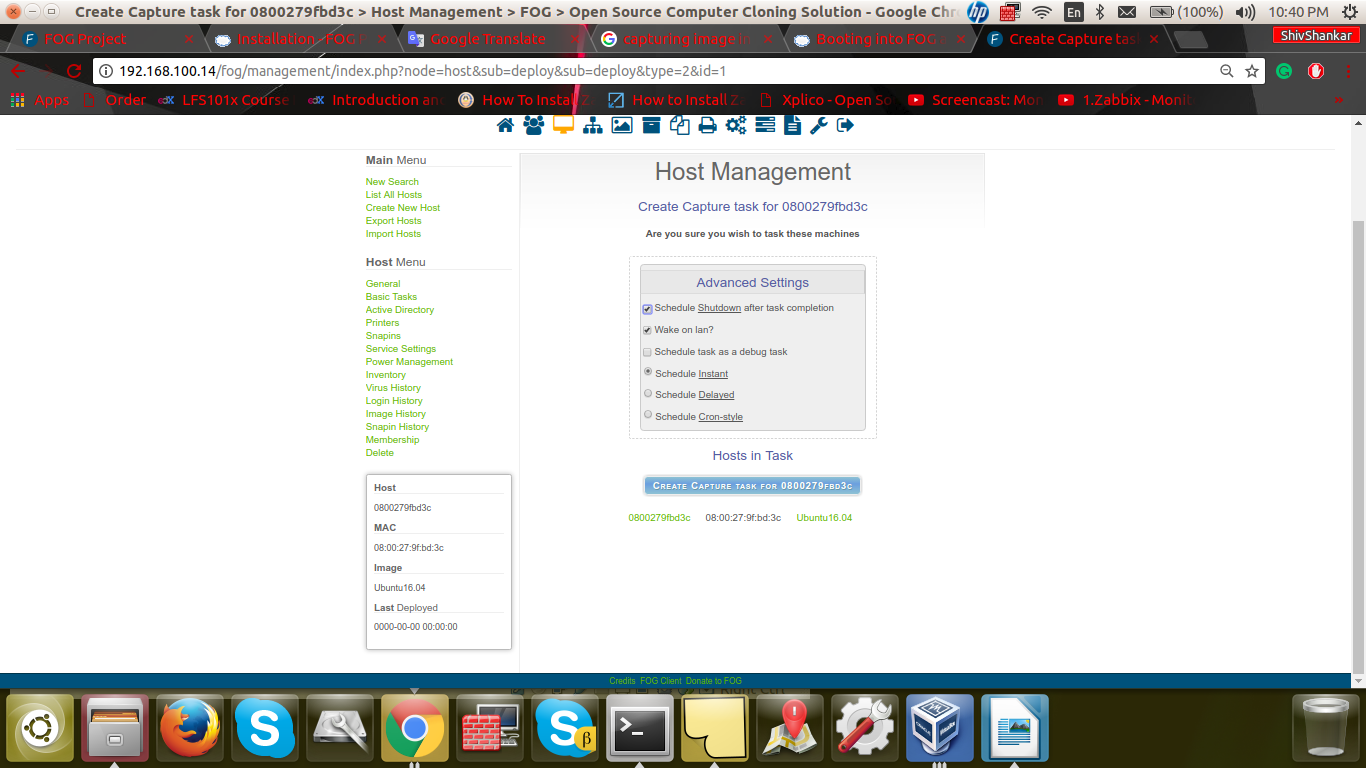
6. And hit update and add a task Capture to capture as below snapshot
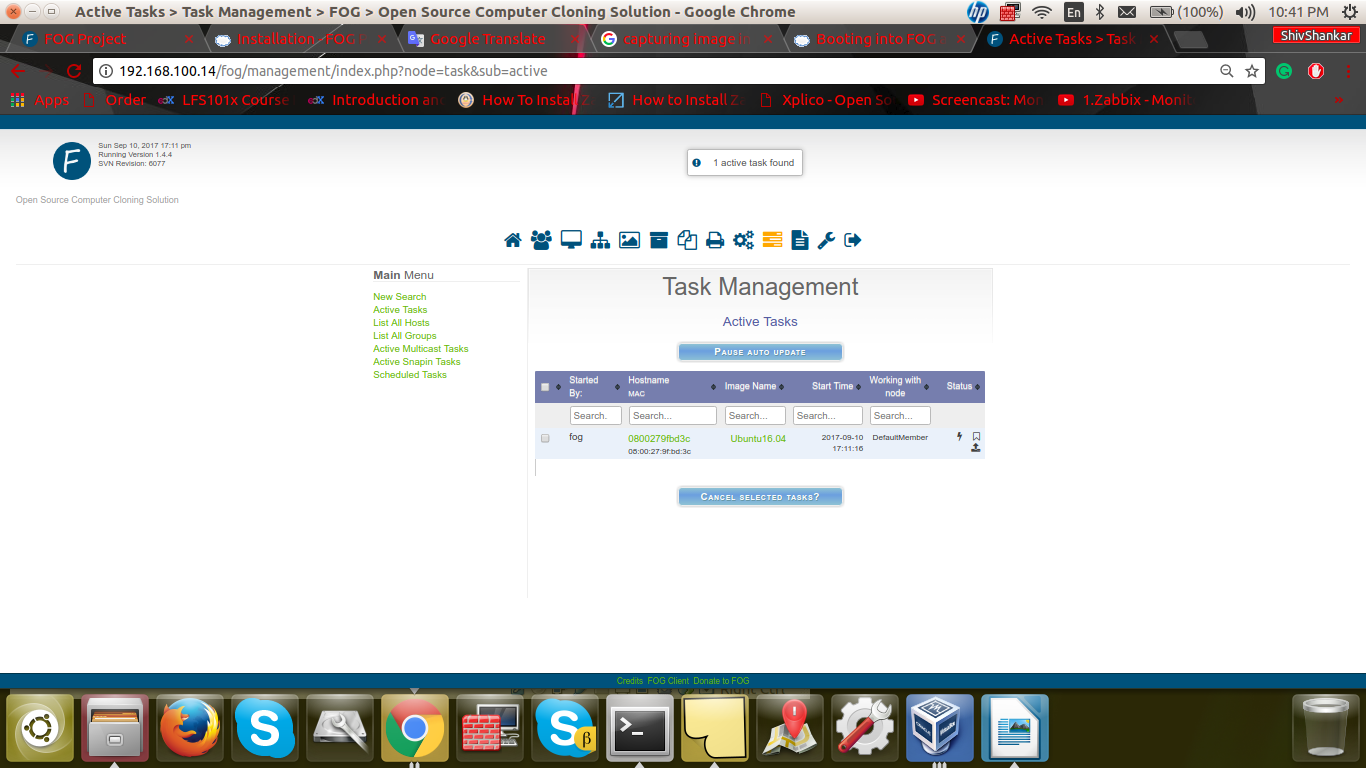
7. Go to Task managemant on FOG server
8. Again Boot in PXE BOOT and the fog server will Capture the image of your current host in the /images directory.


Cookies are important to the proper functioning of a site. To improve your experience, we use cookies to remember log-in details and provide secure log-in, collect statistics to optimize site functionality, and deliver content tailored to your interests. Click Agree and Proceed to accept cookies and go directly to the site or click on View Cookie Settings to see detailed descriptions of the types of cookies and choose whether to accept certain cookies while on the site.















About Author
Shiv Shankar
Shiv is a highly skilled Infra professional, specializing in Linux, infrastructure management, Prometheus, AWS, Docker, shell scripting, Grafana, and Ansible. His expertise lies in effectively designing, deploying, and managing scalable solutions on the AWS platform, as evidenced by his certifications in CCNA and AWS. Shiv's proficiency in Docker, shell scripting, Prometheus, Grafana, and Ansible enables him to streamline infrastructure management and automate various processes for enhanced efficiency.